The short answer
A wine cellar app is a digital cellar book: it counts your bottles, remembers the storage location down to the slot and shows you which wine should be opened soon. The best one for you captures new bottles quickly from a photo, takes over your old list and lets you export everything again. If you also store whisky, gin or beer, it should keep track of those bottles as well.
When a wine cellar app is worth it
As long as ten bottles sit on the kitchen shelf, a glance is enough. From about two dozen bottles, several racks or a second location, you lose track. That is when wines are kept too long and you buy a bottle in the shop that is already at home.
A wine cellar app answers three questions: What do I have? Where is it? And what should I open next? The third question is the most valuable, because most wines do not get better with longer storage, only older.
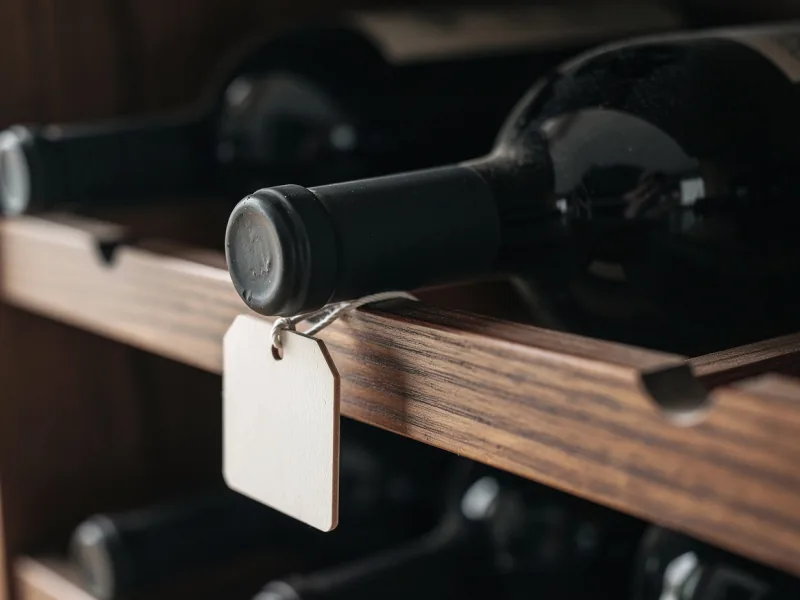
Stock, location and slot
The basis of every wine cellar app is the stock: how many bottles of a wine there are and where they are. You should be able to record the location as precisely as you need it, from cellar to rack, row and slot.
Just as important is how easily the stock changes. When you drink or give away a bottle, one tap should be enough. An app where stock has to be adjusted laboriously by hand is out of date after three months.
Drinking window: when each wine is ready
Most wines are made to be drunk within their first few years. Light white wines, rosé and simple reds taste best young. Powerful reds with plenty of tannin, great Rieslings and noble sweet wines last much longer.
A good wine cellar app does not calculate the drinking window across the board but with grape variety, vintage and style. And it shows you the wines whose best time is just beginning or ending soon, before you have to look for them yourself.
Capturing new bottles quickly
Capturing bottles takes the most time. That is why a wine cellar app should read the label from a photo and fill in winery, wine, vintage and region by itself. With German wines it pays to photograph the back label too, because that is where the Prädikat, test number and bottler are.
It is practical if you can capture several bottles in a row when unpacking a case, without starting over each time. And if recognition gets something wrong, every field must be editable by hand.
Taking over your old Excel list
If you already keep a list, you do not want to retype it. Almost every wine cellar app reads a CSV file that you save from Excel. At least the name and the number of bottles should be in the list; anything more, such as vintage, winery or location, is a bonus.
Standardize spellings before importing. Weingut Müller and Müller, Weingut otherwise become two producers. And do a first run with a few rows before importing the whole list.
Export: your cellar data belongs to you
A cellar book often outlives any app. So check before you start whether you can download your data as a file at any time, ideally as CSV or Excel. A PDF is nice for printing but useless for moving to another program.
Without export, years of work are locked in a program you do not control. That is the most important point of any choice, more important than the nicest design.
The climate in your cellar
An app does not replace a good storage place. Ideal is an average of around 10 to 12 degrees Celsius, little fluctuation, darkness and no vibration. An even temperature matters more than the exact value, and permanently above 20 degrees wine ages too fast.
If you have no cellar, a wine fridge does the job. A simple thermometer with hygrometer tells you whether your storage place is suitable.
Running a cellar together
Many cellars belong to two people or a whole family. Then the app must allow several people to see and change the same stock. It is good if you can assign rights, for example read-only for guests and edit rights for your partner.
Make sure such sharing happens deliberately, by invitation, and not by making your cellar publicly visible.
Checklist: the best wine cellar app for you
These questions help you find a wine cellar app you will still use in two years.
- Does it capture new bottles from a photo, including German labels?
- Can you record the location down to the slot?
- Can you change stock with one tap?
- Does it show the drinking window for each wine?
- Does it import your old list as CSV?
- Can you export everything as CSV or Excel?
- Can several people run the cellar together?
- Does it also handle whisky, gin, beer and other bottles?
How Gustofolio works as a wine cellar app
Gustofolio is a cellar book for wine and nine other drink types. You photograph a bottle and Gustofolio reads winery, wine, vintage and region; you capture front and back one after the other, and a whole case in one go. You set the storage location down to the slot.
For every wine the app shows you the drinking window and serving temperature, plus dishes that go with it. When you drink a bottle, you book it out with one tap and Gustofolio asks for your rating. You import an existing list as CSV, and everything can be exported as CSV, Excel or PDF.
You invite others to your cellar deliberately, also read-only. The data is stored in a data center in Frankfurt am Main, and your collection stays private until you share something yourself. Gustofolio runs in the browser on any device; on your phone you add it to the home screen like an app.
Frequently asked questions about wine cellar apps
These questions almost always come up before someone runs their cellar digitally.
What is the difference between a wine app and a wine cellar app?
A wine app mainly helps with buying and tasting: scanning labels, reading ratings, finding wine for food. A wine cellar app takes care of your own stock, location, drinking window and quantity. Many apps do both but have a focus.
Is there a free wine cellar app?
Yes, many can be used for free, often with limits on the number of bottles, with ads or with a subscription for extra features. Check before you start whether export is part of the free tier.
Do I need a barcode scanner?
Hardly. With wine, a whole vintage often shares one barcode, and small wineries use none at all. Recognition that reads the label hits far more often with wine.
Can I create several storage locations?
In good apps, yes: cellar, wine fridge, holiday home or storage at a retailer. Every bottle then has its place, and you see at a glance where everything is.