The short answer
A good drinks app keeps track of which bottles you own, where they're stored, and how you liked them. Choose it based on your top priority: identifying labels, managing stock and storage locations, or recording tastings. For a mixed collection of wine, whisky, and gin, what matters most is that the app preserves the differences between drink types: vintage for wine, the exact bottling for whisky, your blend for gin.
Which Drinks App Suits You?
You may know the situation: at the wine shop, a label looks familiar. Was that your favorite wine, or last time's poor purchase? At home, several opened whiskies are sitting around, and you've forgotten the right mixer for the gin you brought back from vacation. A well-kept collection answers these questions without you having to search through every shelf.
So choose a wine app or drink management tool based on the task you perform most often. A scanner helps identify a bottle. Inventory management shows you whether you still own it. A tasting journal preserves your impressions. For a mixed collection, combining these functions is especially helpful.
You can also start with a simple list. An app is worth it once it makes logging, finding, and updating easier for you. There's no minimum number of bottles required for that.
| Your Key Question | The Feature You Need | How to Try It Out |
|---|---|---|
| "Which Wine Is This?" | Label recognition with editable details | Track two vintages of the same wine |
| "What's still down in the cellar?" | Stock levels by product and storage location | Split six bottles across two locations, then remove one |
| "Which whisky did I enjoy?" | Clear-cut bottlings and tasting notes | Tell apart two variants from the same distillery |
| "Which tonic pairs with my gin?" | Your own combinations or easily searchable notes | Save gin, tonic, and mixing ratio together |
| "What can I mix from my home bar?" |
What is a drinks inventory app?
A drinks inventory app is a digital record of your bottles. You log what you own, where it's stored, and what experiences you've had with it. Depending on the app, features like label recognition, ratings, wish lists, or selection suggestions may be added. A wine inventory app is the same thing with a focus on wine.
For private collections, three questions matter most:
- What do I currently have at home?
- Which bottles do I want to find again or reorder?
- What fits what I have planned for today?
Private collection or inventory management system?
This is what sets private drinks inventory apart from stock management systems used by restaurants or bars. A hospitality business needs purchasing, pouring records, stocktaking variances, and a link to the till. At home, a reliable overview with personal notes is usually enough.
You don't need a dedicated wine cellar for this. A kitchen shelf, a sideboard, and two compartments in a storage room can be organized just as well. What matters is whether your collection has become hard to keep track of.
What types of drinks apps are there?
The term "wine app" covers very different tools. Some are mainly scanners paired with a large ratings database, others are pure cellar books, and still others are shops with an attached wish list. If you're looking for a wine cellar app but install a scanner app instead, you'll later wonder why storage locations and bottle counts are missing.
The breakdown below helps with comparing options. Many apps combine several types; what matters is which of these genuinely works for you day to day.
| App type | Strong at | Watch for |
|---|---|---|
| Scanner and rating app | Quickly identifying a bottle in the shop, reading other people's ratings | Whether you can correct vintage and variant; whether there's an actual inventory |
| Wine cellar app (cellar book) | Bottle count, storage locations, drinking windows, reordering | How quickly entries can be made; whether whisky and spirits are supported |
| Whisky app and tasting journal | Bottlings, batches, tasting notes | Whether samples and opened bottles can be tracked |
| Cocktail and home bar app | Recipes based on ingredients on hand | Whether mixers and fresh ingredients are factored in |
| All-in-one drinks inventory | One overview for wine, whisky, and more | Whether the differences between drink types are preserved |
Wine in the drinks app: vintage, bottles, and cellar
With wine, the product name alone often isn't enough. Two bottles might come from the same winery and look almost identical, yet differ in vintage, vineyard site, or ageing. A useful wine cellar app helps you capture these distinctions.
What details belong to a wine entry?
To start, producer, wine name, vintage, bottle count, and storage location are enough. If you've already tasted the wine, add a short rating. Purchase price and source help when it's time to reorder.
Grape variety, origin, and sweetness level make searching easier. But you don't need to fill in every field right away. A correctly entered wine with five useful details is worth more than an elaborate record with the wrong vintage.
A photo of the label is a handy memory aid. If needed, photograph the back label too: it often carries the details that help you tell similarly named bottles apart. Our guide to reading wine labels explains what to look for.
Recording vintage, bottle size, and location separately
Imagine you own six bottles of the same Riesling. Four are in the cellar, two are in the fridge. The wine is identical, but the location isn't. A good wine management system shows you both quantities as well as the total stock.
A different vintage gets its own entry. Bottle sizes also need to stay distinguishable: a 0.75-litre bottle and a magnum aren't interchangeable when you're planning an evening. The same name and the same label design aren't enough for reliable tracking.
A simple breakdown helps with how you count:
- Product: Which wine, which vintage, which bottle size?
- Stock: How many bottles do you own?
- Location: Where is which quantity stored?
- Status: Unopened, opened, or no longer on hand?
Opened bottles: decide in advance how you'll count them
Apps differ in how many of these levels they track separately. Before your first big round of entries, decide how you'll handle opened bottles. If "opening" removes a bottle from your cellar stock, that stock reflects your unopened reserve. An open bottle shouldn't then accidentally show up a second time as stock.
Whisky in the drinks app: bottlings and samples
With whisky, what often matters less is how many identical bottles sit on the shelf. The more interesting question is which bottlings you already know and what sets them apart.
A distillery name plus an age statement can be too vague for this. For some bottlings, the batch, cask strength, cask type, or independent bottler make all the difference. A good whisky app lets you record these details whenever they matter for your collection.
What data makes sense for whisky?
Start by noting the distillery or producer, the full name, and the ABV. Only add an age statement if it's actually printed on the bottle. For special bottlings, include the batch, cask number, bottling year, and bottler.
Not every bottle needs all these details. A standard release and a single-cask bottling call for different levels of detail. A photo of the label stops you from mistaking a similar-looking variant for the same bottle on your next purchase.
For everyday use, two additional details are helpful: Is the bottle still sealed, and when did you open it? For many open bottles, a rough estimate of the fill level is enough. You don't need to calculate the remaining contents to the exact milliliter after every glass.
Whisky doesn't continue to mature in the bottle
A twelve-year-old whisky doesn't become a twenty-year-old after eight years on the shelf. The age statement doesn't keep increasing after bottling—an important difference from many wines, which continue to develop in the bottle.
For your collection, this means: purchase date, bottling date, and age statement are three different pieces of information. Store whisky upright, well sealed, and away from direct sunlight. The aromas in opened bottles can change over time, but a blanket time limit doesn't suit every fill level and every storage condition.
Properly categorizing samples and opened bottles
A 5cl sample and the original 70cl bottle might contain the same bottling. In your inventory, though, they're still two separate units. For samples, record the original bottling, the quantity, and the source. "Sample from Thomas" alone won't help you much months later.
Don't create a separate entry for a sample if you simply poured it from a bottle you've already logged, without deducting the amount from that bottle. Otherwise your digital stock grows even though you haven't bought anything. If your app doesn't track quantities, a clear note is enough.
Gin in the drinks app: bottles and combinations
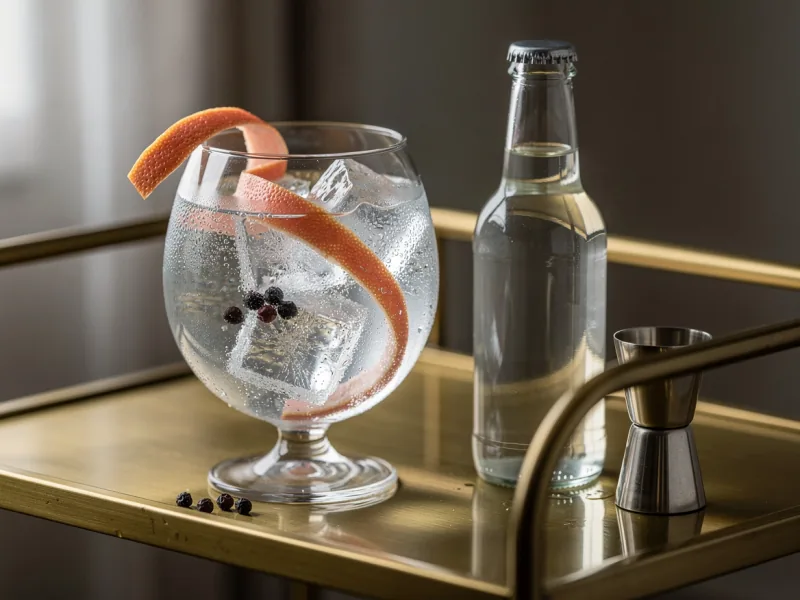
With gin, a simple bottle inventory often falls short. You might particularly enjoy one gin neat, another in a Gin and Tonic, and a third in a cocktail. The valuable information, in that case, is the combination.
Anyone looking for a gin app should therefore check whether it lets you record your own serving variations alongside the bottle itself. You don't need a complicated recipe feature for this; an easily findable note is often enough.
Four details for your next Gin and Tonic
Note the exact gin, the tonic used, the mixing ratio, and the garnish if any. Add a brief impression: pleasantly dry, too bitter, too sweet, or just right.
A personal entry might read: "Gin A, Tonic B, 1 part gin to 3 parts tonic, no garnish. More balanced for me than the longer mix." This isn't a general recipe recommendation, but a repeatable reminder of your own taste—and worth its weight in gold when you're restocking.
Distinguishing between rating the bottle and rating the drink
A Gin and Tonic you don't enjoy isn't automatically a sign you dislike the gin. Maybe the tonic doesn't suit your taste, or the mix is too long for you.
Rate specifically, then: "neat," "with this tonic," or "in a cocktail." The same principle applies to rum with a mixer or whisky in a highball. This turns your collection into a record of your own experiences.
Managing a home bar: rum, liqueur, and non-alcoholic options
A private home bar rarely consists of just one type of drink. Alongside wine and whisky, you might have rum, tequila, vermouth, a few liqueurs, and some non-alcoholic alternatives. A combined overview lets you see your stock as a whole.
Even so, the distinctions between them should be preserved. With rum, origin, alcohol content, and the specific bottling matter. With a liqueur, you're more interested in what you bought it for. With a non-alcoholic aperitif, you'll want to record your preferred mix.
A clear label for opened bottles is especially useful. The manufacturer's storage instructions after opening belong somewhere you'll actually find them again. Don't apply rules for high-proof spirits across the board to vermouth, cream liqueur, or non-alcoholic products.
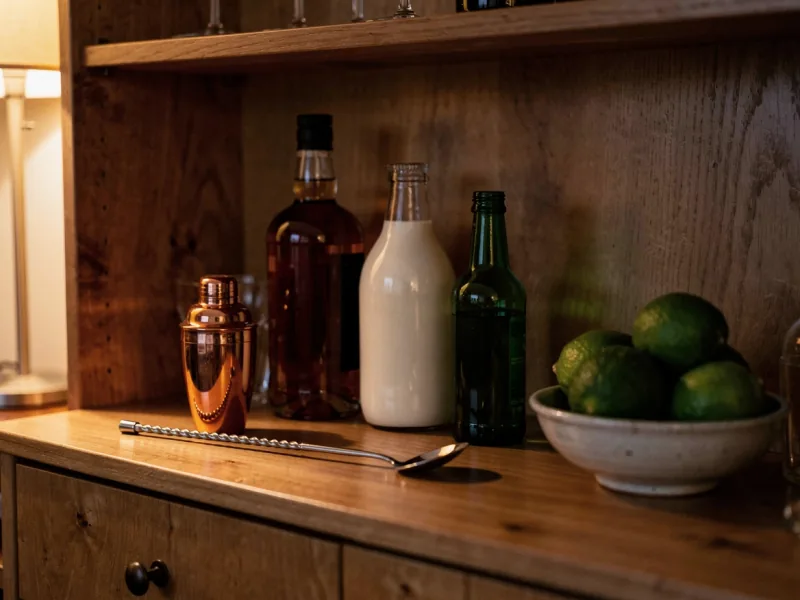
From bottle stock to cocktail idea
"I have rum" doesn't yet answer which cocktail you can mix. The other ingredients need to be on hand too, and for fresh ingredients and mixers, it's worth checking your kitchen and fridge.
Searching recipes by available ingredients makes choosing easier, but it's only as complete as the ingredient list behind it. A bottle in your digital shelf also doesn't mean there's still enough left inside for several drinks.
Keep it simple: pick one or two recipes and check their ingredients against your stock. That turns "go shopping for the home bar" into a concrete list. In the encyclopedia's cocktail recipes, you can browse by spirit and flavor.
Three sample entries for wine, whisky, and gin
These filled-in examples show which details belong together in everyday use. Product and producer names are fictional; they're templates for your own documentation, not product recommendations or actual tastings.
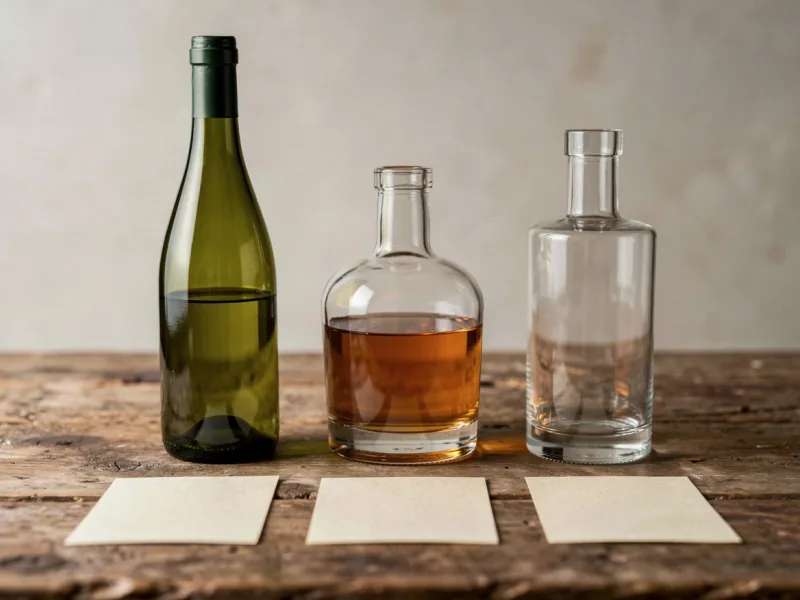
Example 1: A wine in two storage locations
| Field | Example |
|---|---|
| Producer and wine | Sample Winery Lindenhang – dry Riesling |
| Vintage and bottle size | 2024 · 0,75 l |
| Unopened stock | 6 bottles |
| Locations | 4 × cellar, shelf A, slot 2; 2 × fridge |
| Last purchase | 6 bottles on September 12, 2026, $14.90 per bottle |
| Previous tasting | 4 out of 5; fresh, pleasantly acidic for my taste |
| Occasion and repurchase | Enjoyed with pan-fried fish; would buy again |
| Drinking window | No reliable information recorded |
Example 2: A whisky with a clearly identified bottling
| Field | Example |
|---|---|
| Producer and product | Sample Distillery Nordtal – 12 Year Single Malt |
Avoiding duplicate entries and inaccurate stock counts
The most important rule: a new event isn't automatically a new product. A repurchase, a move to the fridge shelf, and a new rating can all belong to the same product entry.
| Situation | How to keep your collection consistent |
|---|---|
| You buy more of the same wine, same vintage | Find the existing entry and add to the stock; log purchase dates separately |
| The new wine has a different vintage | Create a separate entry |
| You move two bottles from the cellar to the fridge | Change the location, leave the total count unchanged |
| You give away a bottle | Reduce your stock and, if possible, mark it as a gift |
| You photograph the front and back labels | Link both photos to the same bottle |
| A scanner finds a similar product | Check vintage, variant, and size before saving |
| A product appears twice in your collection | Compare quantities, locations, and notes first, then merge |
A barcode is not proof
A barcode helps you find things again, but it shouldn't be the sole basis for merging entries. Many producers reuse the same code across several vintages. What matters is whether the details match the specific variant.
Why "opened" and "empty" are different states
Managing drinks with Excel or an app: import and export
A spreadsheet is a good starting point. You choose the columns yourself and can keep a small collection organized. If you enjoy working at a computer and consistently log changes, an Excel wine list can serve you well for a long time.
An app becomes worthwhile when it simplifies tasks you'd otherwise skip: photographing a label on the spot, updating a storage location at the shelf, or saving a tasting note on the go.

| Task | Spreadsheet | What matters in an app |
|---|---|---|
| Recording inventory | Freely customizable, mostly manual | Quick entry, possibly label recognition |
| Linking photos | Depending on structure, needs extra organizing | Images attached directly to the right bottle |
| Opening or gifting bottles | Changing quantity or status yourself | Simple, traceable inventory changes |
| Checking while out and about | Depends on file storage and spreadsheet app | Well-functioning search on your phone |
| Taking your own data with you | Straightforward with common formats | Check export scope beforehand |
Importing an Excel wine list into Gustofolio
You don't need to replace your spreadsheet right away. Test an app with a few typical bottles; if it saves you time maintaining those, it's worth transferring the rest of your inventory.
Gustofolio offers a CSV import with preview for this. CSV is a spreadsheet format you can save directly from Excel. Here's how to proceed:
Private or shared: what others see of your collection
You can share your enthusiasm for a bottle without making the entire contents of your cellar public. Inventory, purchase prices, and storage locations are different kinds of information from a tasting note.
With Gustofolio, you decide what you show others when it comes to favorite bottles, ratings, recommendations, and your wish list. Storage locations, inventory, purchase prices, and private notes are not part of this public view. A targeted invitation to jointly manage a cellar is separate from this.
When choosing a drinks app, it therefore matters not just whether it has a community. What's decisive is whether you understand what stays private and what exactly a share includes.

Making good use of your own ratings and recommendations
A collection becomes more useful when it reflects your preferences. You don't need a perfect rating scale for that. What matters is that you'll still understand what your rating meant later on.
A simple method combines an overall impression with two questions: What did I like about it? Would I buy this bottle again for the same purpose?
An entry might look like this: "Very good as a wine for dinner, a bit too powerful for me on its own. Would choose it again for this dish." Or: "Gin neat is interesting, barely recognizable in the tonic I used. Try a different combination next time."
Don't compare wine, whisky, and gin as if they were the same kind of product. A high rating for a Riesling says little about which whisky you like. Patterns within a single drink category and similar situations are more meaningful.
What personal recommendations can offer
Recommendations become easier to follow when it's clear what they're based on: your past ratings, the characteristics of a bottle, or a specific occasion. A rationale helps you judge a suggestion.
Even a well-reasoned recommendation remains just a suggestion. Your taste can change, and a new bottle may surprise you. Use recommendations as an aid for choosing and note afterward whether they hit the mark.
Checklist: what to look for in a drinks app
Before transferring your entire collection, test an app with five to ten typical bottles. The following questions separate a nice tool from one you'll stop opening after three weeks.
| Criterion | Question to ask the app |
|---|---|
| Data entry | How many steps does it take to log a bottle, and can I correct recognized details? |
| Data model | Does it distinguish between vintage, bottle size, bottling, and batch? |
| Storage locations | Can I split a quantity across multiple locations and move it around without distorting the total? |
| Drink categories | Do wine and whisky, each with their own attributes, fit into the same collection? |
| Offline use | Can I find my inventory in the cellar even without a network connection? |
| Import | Can I bring in my Excel or CSV list, with a preview before saving? |
| Export | Can I take my data with me – and what exactly does the export include? |
| Privacy | What do others see, what stays private, who can change my inventory? |
| Cost | What limits does the free tier have: bottles, scans, devices, export? |
How to manage wine and whisky with Gustofolio
Gustofolio combines bottle logging, storage locations, and personal ratings. The collection features are built for wine and whisky; the public drinks encyclopedia additionally covers gin, rum, other spirits, and cocktail recipes.
1. Capture: Photograph the label and check the details
Photograph the bottle and check the recognized details. For wine, the producer, name, and vintage matter most; for whisky, it's the exact bottling. A note about an already existing entry helps you match up repeat purchases. A final check is always worthwhile, especially with similarly designed labels.
2. Store: Record the actual storage location
Assign the bottle to a storage location and add shelf, row, slot, or bin as needed. This way, four bottles in the cellar and two in the fridge stay easy to tell apart. If you move them later, simply update their location.
3. Choose: Draw on your existing bottles and past impressions
When the next occasion comes up, draw on your collection and your previous ratings. Gustofolio looks at flavor profiles for wine and whisky separately. Personal suggestions help you choose, but the reasoning behind them and your own experience decide whether a suggestion suits your evening.
4. Rate: Leave yourself a useful memory
Add a short note to your rating about the taste and the occasion. "Great with the mushroom dish, but a bit too intense for me on its own" tells you more at your next purchase than a number without context. For whisky, it also helps to note whether you tasted it neat or with water.
5. Find again: Even in the cellar without a signal
Gustofolio can make your cellar available as a local copy on your device. Once it's fully downloaded, inventory, logging, and moving bottles all work without an internet connection. You'll need a connection for initial setup and to update the copy; label recognition and community features still require internet access.
If you want to use your collection outside the app too, inventory exports are available as CSV, Excel, and PDF.
Frequently asked questions about drinks management
The questions that come up most often when searching for a wine app, whisky app, or drinks management tool — answered briefly.
Which wine app is the best?
There's no single best wine app for everyone. The best one is whichever handles your most frequent task fastest: recognizing labels, managing inventory and storage locations, or logging tastings. Try out two or three apps with a wine you own multiple bottles of, across two vintages. That way you'll see whether logging, searching, and updating inventory suit you.
Is there an app for both wine and whisky together?
Yes. A combined drinks app makes sense if it supports the specific details of each drink type: vintages for wine, exact bottlings for whisky. The shared overview should preserve these differences rather than forcing everything into the same fields. Gustofolio treats wine and whisky as separate product types within one collection.
Do I need different apps for wine, whisky, and gin?
Not necessarily. When choosing a combined app, check whether it can capture vintages for wine, bottlings for whisky, and the specific combinations relevant to gin. If a field is missing, a clearly visible note often does the job.
Is a drinks app worth it if I only have a few bottles?
Yes, if you often look for information you're not currently recording anywhere. Even a small collection benefits from a label photo and a good note. If you can easily keep track of your bottles and don't need extra details, a simple list might be enough.
Is a whisky app the same as a wine cellar app?
Both manage bottles and ratings, but the important details differ. For wine, vintage, stock, and drinking window matter a lot; for whisky, it's bottling, ABV, batch, and tasting notes. What matters is the app's data model, not its name.
Free wine app or subscription: which is worth it?
It depends on what you use regularly. For a small list, free basic features are often enough. A paid plan is worth it if it offers features you genuinely need, such as extensive logging, collaboration, or export. Compare the actual limits: number of bottles, scan volume, device access, and what happens to your data if you cancel a subscription.
Can an app tell if a wine is still good?
An app can bring together known information and your storage details. But it can't reliably judge the actual condition of an unopened bottle from a label photo. A recommended drinking window is no substitute for checking the specific bottle itself.
Start with one shelf and a clear process
Start by focusing on one storage location. Log the bottles with a clear name, quantity, and location. For your favorites, add a note that will help you at your next purchase. Then try out the whole process: finding a bottle, moving it, taking it out, and checking your inventory.
This way you'll quickly see whether your collection answers your questions. You can fill in the rest gradually — from the wine rack to the whisky cabinet to the home bar.