The short answer
When you scan a label, an app compares your photo against stored labels and also reads the text. This works best with a sharp, straight-on photo, free of glare, showing the whole label. The small QR code on newer bottles is something different: it links to ingredients and nutritional information, not to a rating.
How does scanning a wine label actually work?
Scanning usually relies on two methods working together. Image matching searches a database for a label that looks like yours: same shapes, same color areas, same layout. Text recognition reads the letters and turns them into words the app can work with. From these words, it assembles fields like winery, wine, vintage, and region.
Each method has its own strength. Image matching finds a known label very quickly, even if the lettering is ornate. But for a label nobody has photographed before, it comes up empty. Text recognition doesn't need a match in the database, but it does need legible letters. A clean photo pays off twice over: it helps with both matching and reading.
Why recognition sometimes gets it wrong
Most mistakes come down to a simple cause. If the label isn't in the database, image matching has nothing to find. This happens especially often with small wineries and freshly redesigned labels. The vintage is also frequently wrong. Many producers keep the same design for years, with the vintage year as just a small detail. If the app can't read it, it easily defaults to a different vintage of the same wine. The remaining pitfalls come down to the photo itself.
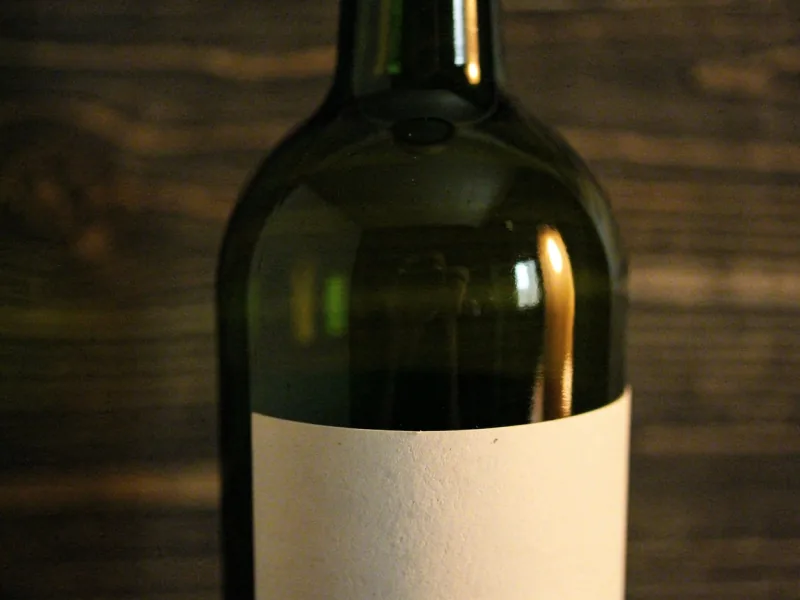
- Glare: A bright spot on the glass wipes out exactly the letters that need to be read.
- Curvature: Toward the edge of the bottle, letters become narrow and distorted.
- Typeface: Script fonts, embossed lettering, and light text on light paper are hard to read.
- Cropping: If part of the label is missing from the image, the words on it are missing too.
- Front label only: If it mainly shows an image or a fanciful name, the app lacks the details it needs to identify the wine.
Photographing a wine label correctly: light, angle, glare
A good photo only takes a few seconds once you know the tricks. The most important thing is soft light from the side. Light coming straight from the front—flash, or an overhead light directly behind you—casts a bright spot on the glass. Position yourself so the light source is off to the side of the bottle. Or turn the bottle slightly until the glare moves away from the text.
There's no trick against a bottle's curvature, since a photo never shows the entire curve. So focus on the part with the winery, wine name, and vintage, and turn it to the center of the frame. At the edges, some distortion is fine. Whatever gets lost there is often filled in by a second photo of the back label.
- Dry off the bottle if it's coming out of the fridge. Condensation on the glass makes every photo blurry.
- Hold the camera level with the middle of the label, straight on rather than from an angle above.
- Get close enough that the label fills most of the frame, while still keeping the edges in shot.
- Tap on the text so the camera focuses there, then hold steady for a moment.
- In a dark cellar, hold a light off to the side and turn off the flash.
Scanning the back label: this is often where the mandatory details are
The front label is meant to look appealing; the mandatory details are often found elsewhere. According to guidance from Baden-Württemberg's food inspection authorities, these must all appear together within a single field of view, so you can read them without turning the bottle. For German quality wine, this includes alcohol content, net volume, bottler with address, and the lot or batch number. Often, this area is the back label.
These lines are particularly useful for recognition. Two wines from the same winery often look almost identical on the front. On the back, though, they differ in classification, alcohol content, or batch number. So always include the back label in your photo when the front tells you little. What the individual details mean is explained in the article on reading wine labels.
QR code on the wine bottle: what the e-label shows
Many newer bottles carry a small QR code labeled "Ingredients." It's not tied to any rating app—it's the so-called e-label. For wines produced from December 8, 2023 onward, an ingredients list and nutritional information are mandatory. Both may be placed behind the code. Energy content and allergens such as sulfites must appear on the label itself. Energy content may be abbreviated with an "E."
If you don't find a code, that's not an error. A wine counts as "produced" once it has reached the characteristics of its category. According to the Bavarian State Office for Health and Food Safety, this means still wines from the 2023 vintage are almost all exempt from the requirement. Older wines don't need the code at all. Some producers also print ingredients and nutritional information directly on the label.
For scanning, this means: the QR code isn't proof that identifies this exact bottle. According to the State Office, several wines with identical ingredients and nutritional values may link to the same page. That page must remain accessible for at least as long as the wine is expected to keep under normal storage. As a rule of thumb, the office cites five years for typical wines and ten years for age-worthy ones, such as Grosses Gewächs or Auslese.
Barcode or label scan: which is more accurate?
The barcode on the bottle is a product number for retail. It tells the checkout system which product is being sold. Whether a new vintage gets a new number isn't strictly fixed. Under the standard set by GS1, the organization that manages this numbering system, a new number is only required if customers perceive the vintage as a different quality tier and the wine isn't sold as an ongoing standard product.
So a single barcode can cover several vintages of the same wine. That's fine for a shopping list. It's not enough for a cellar where a 2019 is treated differently from a 2023. A photo of the label gives you the vintage; the product number, at best, only gives you the wine. So always double-check the vintage year after every scan.
Privacy while scanning: what your photo reveals
A photo contains more than just the label. According to Stiftung Warentest, digital photos store the date, time, camera model, and shooting settings, plus GPS coordinates if the camera has location access. If you photograph your bottles at home and later upload the images from your gallery, that data can reveal where your wine is stored. If you'd rather avoid this, turn off location access for your camera app.
With a scanning app, it's worth checking the permissions. To read a label, it needs the camera—it doesn't need your location for that. The situation with the ingredients QR code is clearer: according to the State Office, the page behind it may not collect user data or display ads or shop links. If you scan an entire cellar, you end up with a detailed picture of your holdings. So it's worth checking whether your collection stays private.
After scanning: check and correct the result
No scan is truly done until you've looked it over once. Some fields get mixed up by apps particularly often. The winery name is often printed large, with the wine name smaller underneath—sometimes it's exactly the other way around. The vintage, too, can come from a similar-looking label. And a Spätlese can easily turn into a plain Riesling if the classification is printed in small type.
Fix mistakes like these right when you're putting the bottles away—later, you often won't remember which bottle was meant. Copy the details exactly as they appear on the label, including umlauts and hyphens. Consistent spelling prevents duplicate entries if you buy the same wine a second time.
How Gustofolio reads wine labels
In Gustofolio, you photograph the bottle using the app's camera. Gustofolio reads out the winery, wine, vintage, and region. You capture the front and back one after another, and you can scan several bottles in a row, for example when unpacking a case. For whisky, the app reads the distillery, age, cask, and strength.
In the shop, that same photo helps you cross-check against your cellar: you can see whether you already have the bottle and how you liked it. Your collection's data is stored in a data center in Frankfurt am Main. Your collection stays private until you choose to share something yourself. Gustofolio runs in the browser on any device and as an app on Android.
Frequently asked questions about scanning wine labels
The same questions keep coming up around scanning. Most concern the QR code, which has little to do with recognizing the wine, or poor lighting conditions in the cellar. Here are the short answers; the longer ones are in the sections above.
Can I scan a wine label without an app?
Your phone's camera can usually read the ingredients QR code on its own. But it only shows ingredients and nutritional information. Only an app that matches images or reads text can identify the wine and add it to a list.
Why doesn't my wine bottle have a QR code?
Ingredients and nutritional information are only mandatory for wines produced from December 8, 2023 onward. Older vintages don't need the code. Producers are also allowed to print the details directly on the label instead.
Why doesn't the QR code show a price or a rating?
Because the page behind the ingredients code has to stay neutral: no ads, no shop links, no collection of user data. According to the Bavarian State Office, the e-label isn't even allowed to sit on the bottler's own homepage.
How do I scan in a dark cellar?
Bring a second light source and hold it to the side of the bottle. A flash coming straight from the front almost always creates a glare right in the middle of the text. Give dusty bottles a quick wipe first.