The short answer
A good beer app records which beers you have tried and how you liked them, and shows you style, brewery and origin. It learns your taste from your ratings and suggests beers that match. When choosing one, check three things: whether you can take your ratings with you, whether the app knows small breweries too, and whether it explains why it recommends a beer.
What a beer app does in everyday life
Most people download a beer app for one of three reasons. They are standing in a drinks store or craft beer shop in front of two hundred labels and want to know whether they have tried a beer before. They tasted five new beers at the weekend and want to remember which one was good. Or there are crates and single bottles in the cellar, and nobody knows what is left.
A good app covers all three. For the shelf it needs a fast search or recognition from a photo. For remembering it needs a rating that captures more than a number. And for your stock it needs an inventory you change with one tap when a bottle is empty.
Rating beers: more than a star count
Five stars tell you little six months later. Three short observations are more useful: How bitter was the beer? How full did it feel, lean or rich? And what did you smell: hops, malt, roast or fruit from the yeast?
Two questions make the difference later: Would you buy it again, and what did it go with? An app that records this can learn more from it than from an average. If you want a fixed routine, you will find one in the rating sheet.
Understanding beer styles: pils, wheat beer, IPA and stout
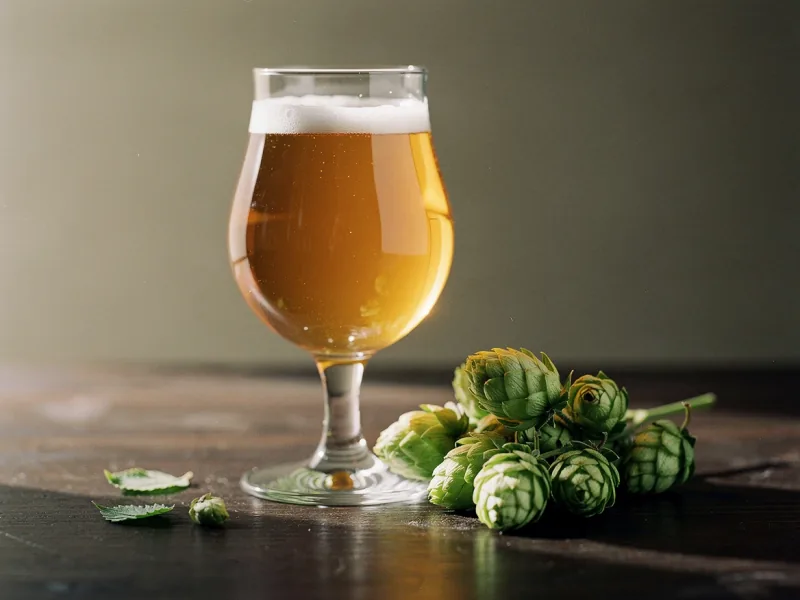
The style tells you more about a beer than the name on the label. A pils is pale, lean and clearly hop-bitter. A wheat beer gets its banana and clove notes from the yeast. An IPA lives on hop aroma, often with citrus and resin. A stout tastes of roasted malt, coffee and dark chocolate.
For a beer app this means it should know the style of every beer and use it for recommendations. If you like stout, you want another stout or a porter suggested, not a highly rated pils. An app that only sorts by averages recommends the same beers to everyone.
Breweries and origin
Many of the most interesting beers come from small breweries that are only available in their own region. A beer app should still know them or let you add them quickly by hand. It helps if it shows the brewery with its town, so you can tell two beers with similar names apart.
Also check whether the app classifies beers from your country correctly. A Franconian Kellerbier or a Zwickel often sits under the wrong style in international databases, and that affects recommendations later.
Tracking your stock: fridge, cellar and crates
Beer is not made for long storage like wine. Most beers taste best fresh, and hop-forward beers such as an IPA lose noticeable aroma within a few weeks. A beer app helps if it shows you what has been standing for a while.
Store beer cool, dark and upright. Light is the biggest enemy, especially for green and clear bottles: it creates the so-called light-struck flavor, an unpleasant, sulfurous note. Strong, dark beers with plenty of alcohol, such as a barley wine or an imperial stout, can take longer storage.
Moving from Untappd: take your ratings with you
If you have logged beers in Untappd for years, you do not want to start from zero. Untappd gives you your data as two files: a CSV file with your check-ins and a JSON file with your lists. You request both in the settings under Export Your Data.
A good beer app reads both files, turns several check-ins of the same beer into one entry and keeps your most recent rating with all your notes. The details are in the guide to the Untappd alternative.
Beer with food: what an app can do
Beer is often the better partner than wine, for example with spicy food, cheese or grilled dishes. The carbonation refreshes the palate, the malt picks up roasted flavors and the bitterness cuts through fat.
An app helps here if it explains its suggestions: which beer from your stock goes with the dish and why. Simple rules like wheat beer with white sausage are well known; it gets interesting when the reasoning looks at the bitterness, sweetness and roast of the actual beer.
Free beer app or subscription?
Many beer apps are free to download and make money through ads, a subscription for extra features or offers from retailers and breweries. That is fine, but you should know it before you start.
The most important point is export. If you can take your ratings with you as a file, you are not tied to any app. Also check whether export is part of the free tier or only included in the subscription.
Checklist: the best beer app for you
The best beer app is the one you still use after the third beer. These questions get you there faster than any ranking.
- Can you find your beers quickly, including those from small breweries?
- Does the rating capture more than stars, such as bitterness, body and aromas?
- Does the app know each beer's style and use it for recommendations?
- Can you track your stock with quantities?
- Does it import your data from Untappd?
- Can you export everything again?
- Do your ratings stay private until you share them?
- Does it also handle wine, whisky or gin if you drink those too?
How Gustofolio works as a beer app
In Gustofolio, beer is one of ten drink types, on equal footing with wine, whisky, gin and the others. You photograph the label and Gustofolio reads the name, brewery and details. For every beer you see the brewery with its logo and town.
You record your rating with stars or points, plus up to six aromas you liked and up to six you did not. This builds your taste profile, a single one across all drinks. If you enjoy stouts with roasted notes, you will be offered beers in that direction afterwards, together with the reason.
You import your check-ins and lists from Untappd in one step. Your collection stays private until you share something yourself and can be exported as CSV, Excel or PDF. You will find beer tastings near you under Meet & Taste, and in the encyclopedia the beer journey takes you through beer countries and beer styles.
Frequently asked questions about beer apps
These questions almost always come up before someone picks a beer app.
Is there a beer app that learns my taste?
Yes. Such apps analyze which beers you rate highly and which you do not, and infer the styles and aromas you like. The more you rate and the more precisely you note what you enjoyed, the better it works.
Can I import my Untappd data?
With apps that offer an import, yes. You request your data from Untappd, receive a CSV and a JSON file and upload both to the new app. Make sure your ratings and notes come along, not just the beer names.
Does the app recognize every beer?
No. Seasonal beers, special releases and beers from small breweries are often missing from databases. An app that reads the label gets further than one that only knows barcodes. For the rest you need quick manual entry.
Can I track beer and wine in one app?
Yes, if the app knows several drink types. That is practical, because your taste then shows across everything you drink and you do not have to maintain two apps.
Does a beer app work on iPhone and Android?
Most beer apps are available for both systems. Gustofolio runs in the browser on any phone and computer; on your phone you add it to the home screen like an app.